Best Mechanical Keyboards Under ₹3,000 in India (2026): Outemu Switches & RGB Guide

Aayush Kumar
🔬 TechVerse Review & Research Methodology: Hum verified user feedback, benchmark databases, hardware technical specifications, aur long-term durability reports ko deeply analyze karke yeh buyer guide taiyar karte hain taaki aapko practical performance, real-world pros, cons aur hardware limitations ka sach pata chal sake.
Agar aap regular membrane ya normal office keyboard se thak chuke hain aur gaming ya coding ke liye clicky, responsive feel chahte hain, toh ek mechanical keyboard par upgrade karna aapke typing experience ko poori tarah badal dega.
Pehle mechanical keyboards ₹5,000 - ₹10,000 ke aate the, lekin 2026 mein ₹2,000 se ₹3,000 ke andar genuine mechanical switches, per-key RGB aur metal frames mil rahe hain. Is guide mein humne Top 4 Best Budget Mechanical Keyboards ka review kiya hai.
1. Cosmic Byte CB-GK-16 Firefly — The Budget Champion (Score: 9.2/10)
Cosmic Byte Firefly India mein shuruat se hi budget gamers ka favourite TKL (Tenkeyless) keyboard raha hai. Iska compact size desk par mouse move karne ke liye kaafi jagah deta hai.
- Layout: TKL (87 Keys) — Numpad nahi hai, desk friendly size.
- Switches: Outemu Blue (Clicky sound) ya Red (Quiet & Linear).
- Backlighting: True RGB with 18+ different lighting modes & brightness levels.
- Build Quality: Aluminium top plate with braided USB cable.
- Anti-Ghosting: All-key anti-ghosting rollover (koi bhi key drop nahi hoti).
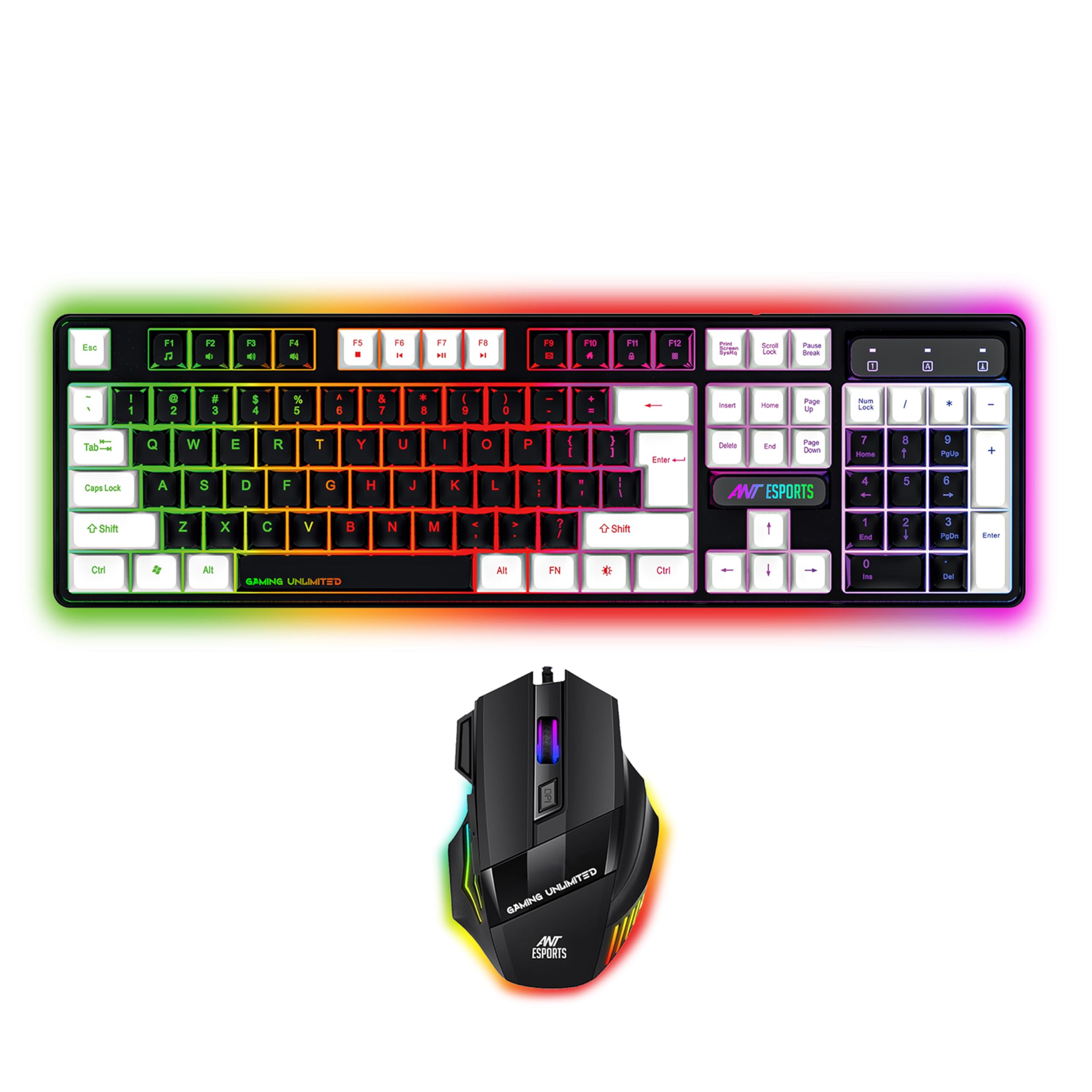
Cosmic Byte CB-GK-16 Firefly TKL Mechanical Keyboard
* TechVerse earns an affiliate commission from qualifying purchases through verified partner links.
2. Redragon K552 Kumara RGB — Rugged Metal Construction (Score: 9.1/10)
Redragon Kumara un users ke liye hai jinko solid, heavy-duty build quality pasand hai jo saalon tak chal sake.
- Build: Aircraft-grade aluminium and ABS construction (kaafi heavy aur sturdy).
- Switches: Custom mechanical switches (Cherry MX Blue equivalent) — satisfying clicky feedback.
- Durability: Splash-proof design (chai ya paani girne se bachata hai).
- Keycaps: Precision engineered double-shot injection molded keycaps.
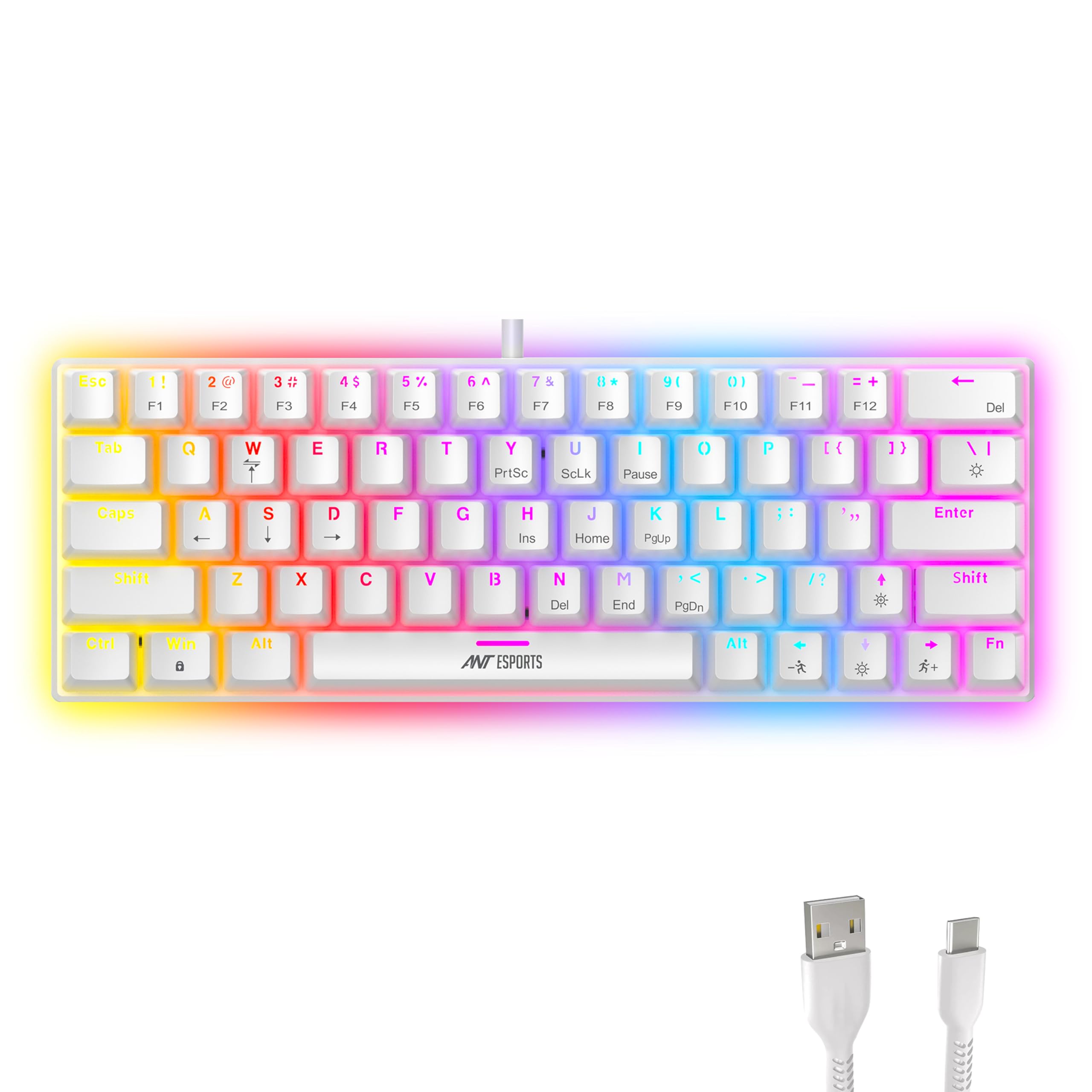
Redragon K552 Kumara RGB Mechanical Gaming Keyboard
* TechVerse earns an affiliate commission from qualifying purchases through verified partner links.
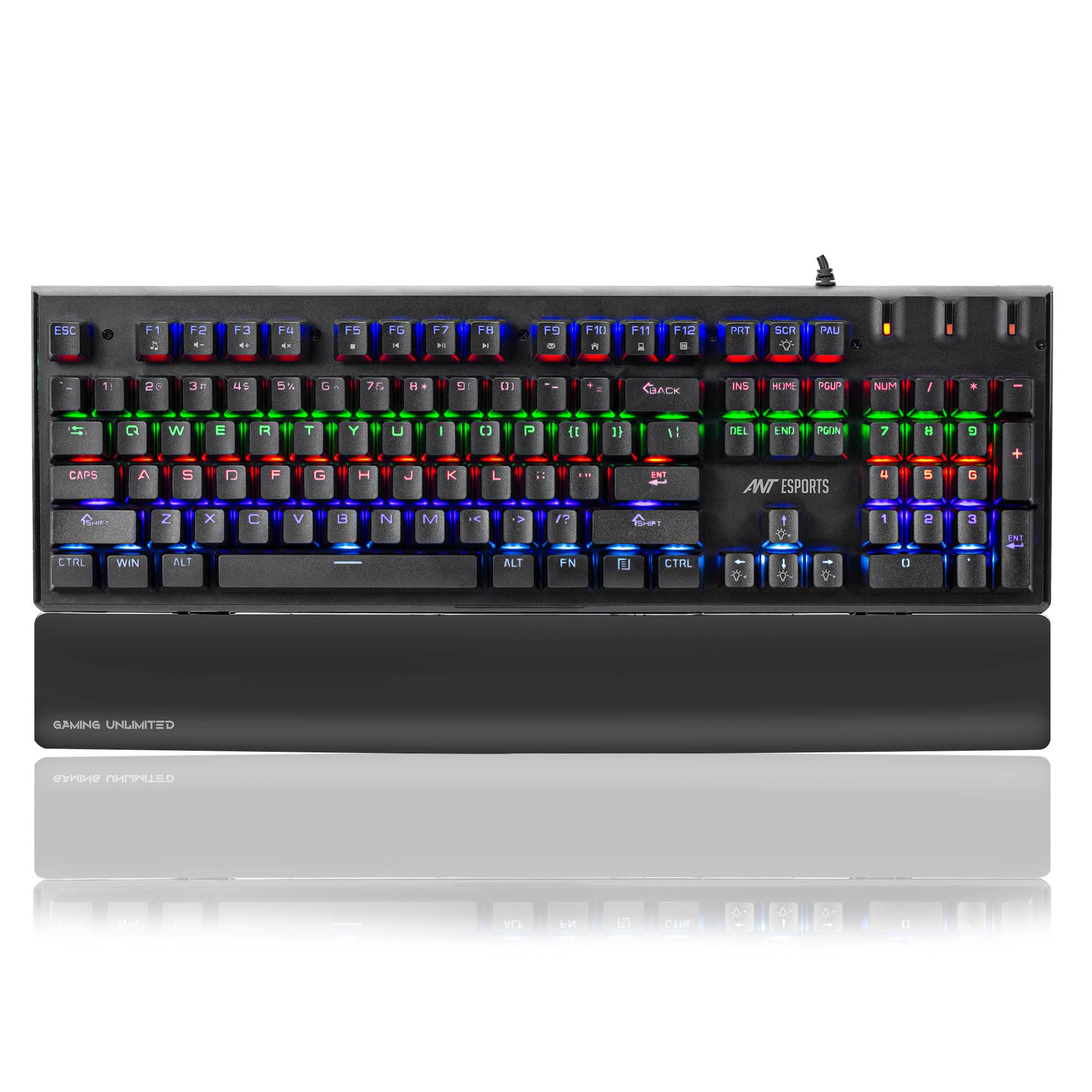
3. Ant Esports MK1200 Mini — Ultra Compact 60% Layout (Score: 8.6/10)
Agar aapke desk par space kam hai ya aap Valorant/CS2 jaisi FPS games mein mouse ko broad swing karte hain, toh Ant Esports ka 60% layout perfect choice hai.
- Form Factor: 60% Compact Form Factor (61 Keys).
- Switches: Outemu Blue clicky switches.
- Portability: Detachable Type-C cable, easily laptop bag mein carry kar sakte hain.
- Lighting: Multi-color LED backlighting with breathing effects.
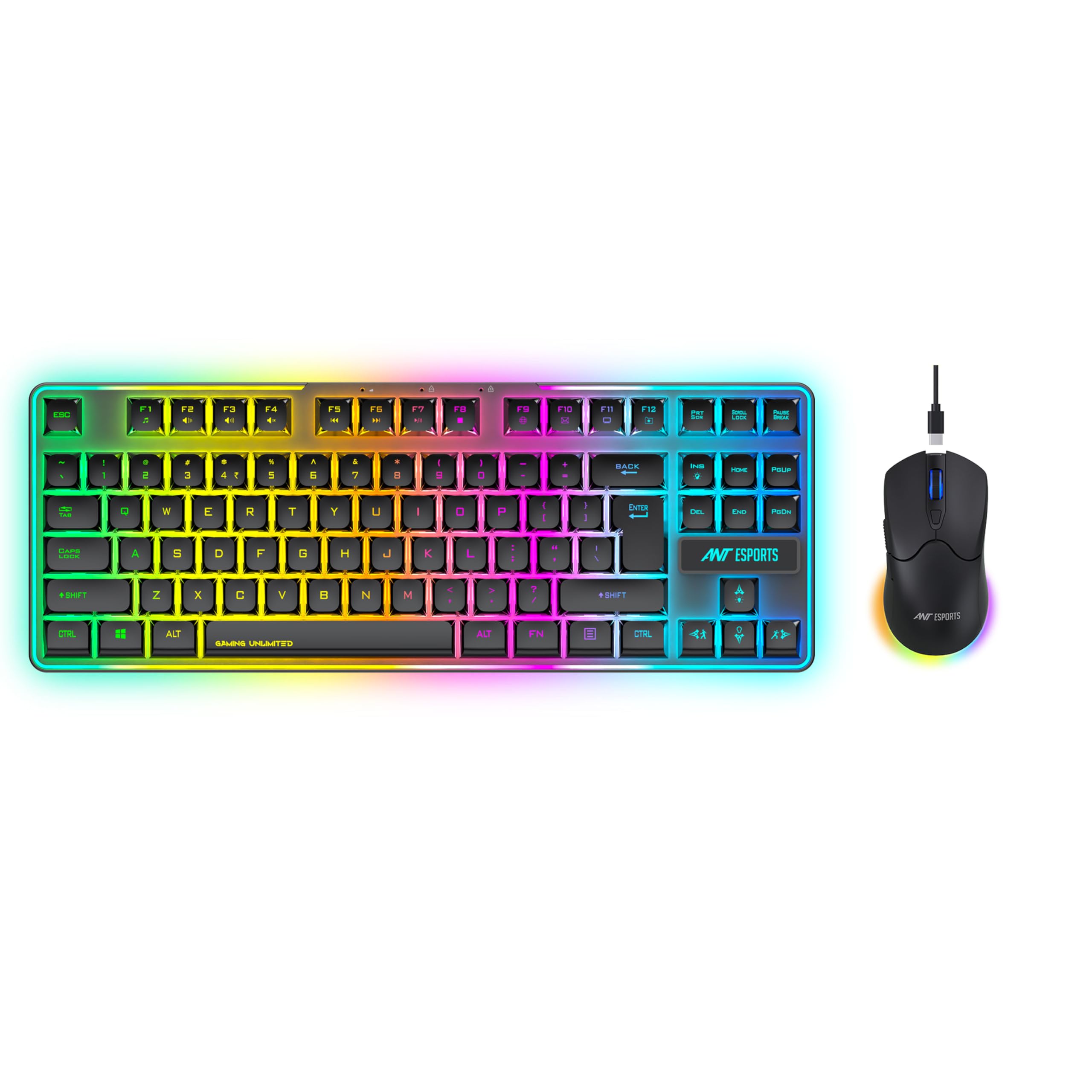
Ant Esports MK1200 Mini 60% Mechanical Keyboard
* TechVerse earns an affiliate commission from qualifying purchases through verified partner links.
4. Portronics Hydra 10 — Best Wireless Multi-Device Pick (Score: 8.8/10)
Portronics Hydra 10 un students aur programmers ke liye best hai jo ek hi keyboard se PC, Laptop aur Tablet teeno control karna chahte hain.
- Connectivity: 3 Modes — Bluetooth 5.0, 2.4GHz Wireless Dongle, & Wired Type-C.
- Multi-Device Pairing: Up to 3 devices simultaneously switchable.
- Battery: Rechargeable 1000mAh battery with RGB lighting.
- Key Switches: Linear Red Switches (smooth typing without loud clicking noise).
Portronics Hydra 10 Wireless Bluetooth Mechanical Keyboard
* TechVerse earns an affiliate commission from qualifying purchases through verified partner links.
Quick Comparison Table
| Keyboard | Layout | Switches | Connection | Best For |
|---|---|---|---|---|
| Cosmic Byte Firefly | TKL (87 Keys) | Blue / Red | Wired USB | Best All-Rounder Budget |
| Redragon K552 | TKL (87 Keys) | Custom Blue | Wired USB | Heavy Build Quality |
| Ant Esports MK1200 | 60% (61 Keys) | Blue | Detachable Type-C | FPS Gamers & Small Desk |
| Portronics Hydra 10 | 68 Keys | Red | Wireless + BT + USB | Coding & Multi-Device |
Blue Switch vs Red Switch: Kaunsa Chunein?
- Blue Switches: Satisfying loud “click” sound aur tactile bump dete hain. Typing aur coding mein bohot maza aata hai, lekin agar raat mein bina shor ke kaam karna ho toh Red switches choose karein.
- Red Switches: Smooth aur quiet hote hain bina kisi click sound ke. Fast gaming aur night work ke liye best mane jaate hain.
Final Verdict
Agar aapko pehla mechanical keyboard lena hai toh Cosmic Byte Firefly TKL ya Redragon K552 sabse safe aur reliable choices hain!
Zaroori Related Articles:
- 📌 Related Guide: Audio setup ke liye hamara Best Gaming Headphones Under 2000 guide check karein.
- 📌 Related Guide: Gaming machine ke liye Best Gaming Laptops Under 60000 padhein.
Switches को Lube कैसे करें
Mechanical keyboard की typing feel को next level पर ले जाना है? तो switch lubing सीखो। यह process थोड़ी time-consuming है, लेकिन result एकदम satisfying होता है।
क्यों करते हैं Lubing?
Stock switches में plastic-on-plastic friction होती है — इसीलिए scratchy या rattly sound आती है। Lube लगाने से:
- Keypress smooth हो जाता है
- Typing sound buttery और thocky हो जाती है
- Switch की lifespan बढ़ती है
कौन सा Lube Use करें?
| Switch Type | Recommended Lube | कहाँ से मिलेगा |
|---|---|---|
| Linear (Red, Yellow) | Krytox 205g0 | mechkeys.in, aliexpress |
| Tactile (Brown, Clear) | Krytox 103 (thin) | mechkeys.in |
| Clicky (Blue) | Lube मत करो! | — |
Tip: Clicky switches को lube करने से उनकी click sound खराब हो जाती है — avoid करो।
कैसे Apply करें?
- Switch opener से switch खोलो
- एक छोटा brush लो (nail art brush काम करेगा)
- Housing के bottom rails पर lube apply करो
- Stem के legs पर thin coat लगाओ — spring पर भी थोड़ा
- Reassemble करो और test करो
Desk Mat की ज़रूरत क्यों है
“Bhai, sirf mouse pad nahi hai kya?” — यह सुनते हो ना? लेकिन desk mat सिर्फ mouse pad नहीं है, यह एक complete upgrade है।
Noise Reduction
Mechanical keyboard already loud होता है। Desk mat उसकी bottom vibration को absorb करती है। Hard desk पर typing करने से जो hollow thud आती है, वो desk mat से काफी कम हो जाती है।
Wrist Comfort
लंबे gaming या coding sessions में wrist pain बहुत common है। एक अच्छी thick desk mat (3-4mm) wrist को natural position में रखती है।
Aesthetic Appeal
Setup की photos Instagram पर डालनी हों तो desk mat without doubt setup को premium दिखाती है। Extended mats पूरे desk को cover करती हैं — keyboard + mouse + monitor stand सब एक unified look में आ जाता है।
Mechanical vs Membrane Typing Speed
यह myth बहुत पुराना है कि mechanical keyboard से automatically typing speed बढ़ जाती है।
Real Data क्या कहता है?
| Factor | Mechanical | Membrane |
|---|---|---|
| Actuation Point | 1.5–2mm | 3–4mm |
| Average WPM (beginners) | 55–65 WPM | 50–60 WPM |
| Average WPM (experienced) | 80–110 WPM | 75–100 WPM |
| Fatigue after 4 hrs | कम | ज़्यादा |
| Error Rate | थोड़ा कम | थोड़ा ज़्यादा |
Conclusion
Mechanical keyboard से speed थोड़ी improve होती है, but practice सबसे बड़ा factor है। Typingtest.com पर daily 10 minutes दो — keyboard से ज़्यादा फर्क पड़ेगा।
India में Popular Budget Brands — Honest Comparison
₹3000 के अंदर India में काफी options हैं, लेकिन सबकी quality एक जैसी नहीं है।
| Brand | Best Model | Switch Type | Build Quality | Value for Money | Rating |
|---|---|---|---|---|---|
| Cosmic Byte | CB-GK-16 | Outemu Blue/Red | Plastic, decent | ⭐⭐⭐⭐ | बढ़िया entry pick |
| RedThunder | K10 | Outemu mixed | Average plastic | ⭐⭐⭐ | RGB अच्छी है |
| Ant Esports | MK1000 | Outemu Blue | Decent, light | ⭐⭐⭐ | Beginners के लिए ठीक |
| TVS Gold | Bharat Gold | In-house | Metal, heavy | ⭐⭐⭐⭐⭐ | Typing के लिए best |
Final Verdict
- Gaming के लिए: Cosmic Byte CB-GK-16 — RGB + Red switches का combo solid है
- Typing/Office के लिए: TVS Gold — legendary durability, no RGB but feels premium
- Tight Budget (₹1500): RedThunder K10 — compromise है, but chalta hai
Budget mechanical keyboards में TVS Gold अभी भी सबसे underrated choice है। एक बार हाथ में लो, feel समझ आएगी।
Ye article kaisa laga? Share karein:
Apne doston ki madad karein useful tech jankari share karke!
TechVerse VIP Community
Har roz nayi tech tips, hidden AI tools aur discount deals ke liye judein!
Aayush Kumar
Aayush Kumar TechVerse ke Founder aur Lead Technical Editor hain. Woh technology, software development, AI tools aur consumer gadgets par research-based content publish karte hain.
Lekhak ka poora profile aur sabhi articles dekhein →Related Posts 🔍
Best Gaming Headphones Under ₹2,000 in India (2026): 7.1 Surround & Deep Bass Guide
Sep 4, 2026
Best Gaming Laptops Under ₹60,000 in India (2026)
Sep 12, 2026
Laptop Battery Health 80% Par Rokne Ka Sahi Tarika: Asus, Lenovo, HP, Dell Guide
Sep 27, 2026
Best 4K Smart TVs Under ₹25,000 in India (2026): 43-Inch Dolby Vision & Google TV
Sep 12, 2026
Best 20000mAh Fast Charging Power Banks in India (2026): Top 4 Picks [Buyer Guide]
Refurbished Laptops Lene Se Pehle Ye 5 Baatein Zaroor Check Karein (2026 Guide)
Tech Updates Seedha Inbox Mein!
Har hafta latest AI news, coding tips, aur gadget reviews. Get weekly tech updates straight to your inbox.
✅ No spam, sirf quality content. Kabhi bhi unsubscribe kar sakte ho.