Docker Kya Hai aur Kaise Kaam Karta Hai? Beginners Guide in Hindi (2026)

Aayush Kumar
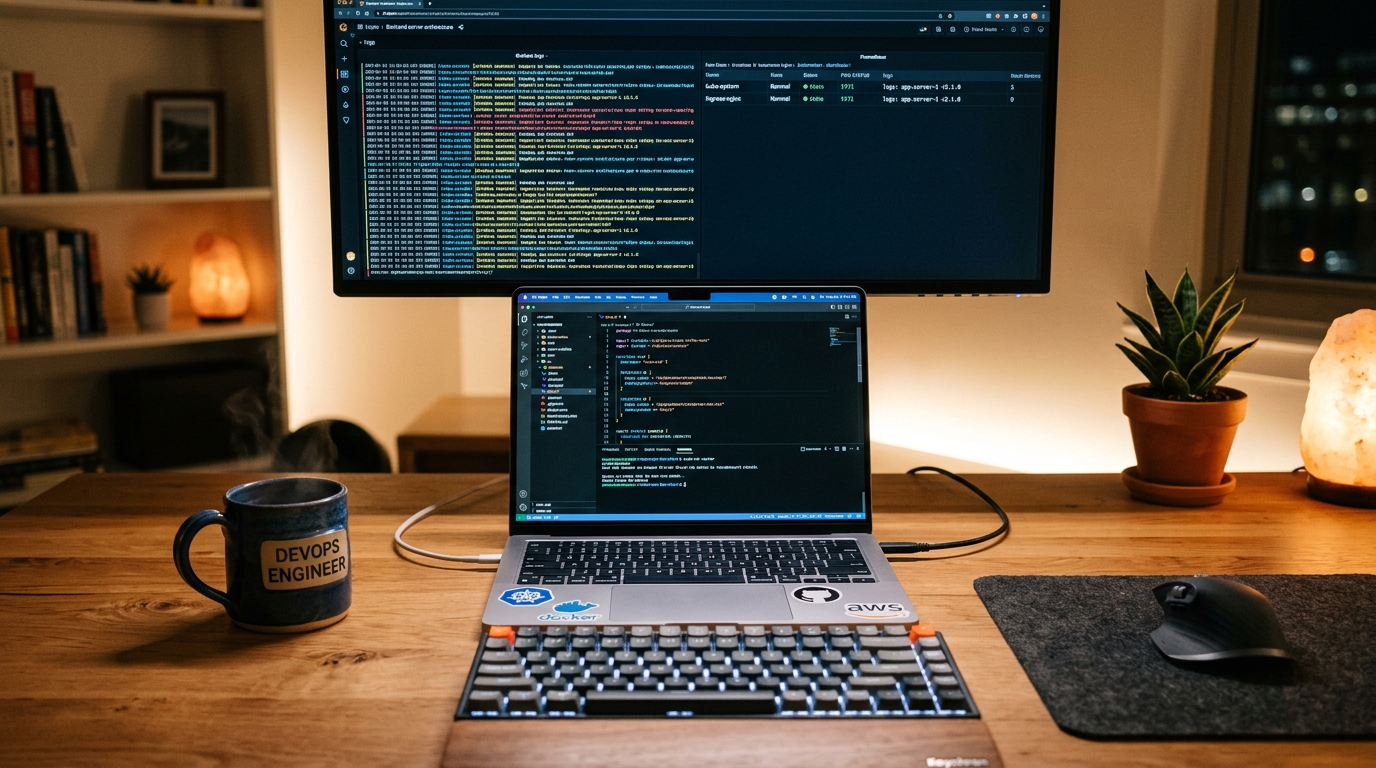
Har software developer ne apni life mein yeh situation zaroor face ki hoti hai:
“Bhai mere laptop par toh code ekdum mast chal raha hai, pata nahi production server ya tere computer par kyu error de raha hai!”
Is problem ko software industry mein “It works on my machine” problem kaha jata hai. Aur isi problem ko hamesha ke liye khatam karne ke liye Docker ka janam hua.
Aaj 2026 mein chahe aap Frontend developer hon, Backend engineer hon, ya Full-Stack developer — Docker aana ek essential skill ban chuka hai.
Is comprehensive guide mein hum Docker ke basic concepts, Containers vs Virtual Machines, Dockerfile banana, aur Docker Compose ko simple Hindi mein samjhenge.
Docker Kya Hai? (Real-Life Example Se Samjhein)
Imagine kijiye aapko ek jagah se dusri jagah shift hona hai. Agar aap apna saaman (TV, clothes, utensils) khula le jayenge, toh transit mein cheezein tut sakti hain ya kho sakti hain. Lekin agar aap sab kuch ek sturdy Shipping Container mein pack kar dein, toh chahe use truck mein rakhein, ship mein ya train mein — andar ka saaman 100% surakshit rahega.
Software development mein Docker Containers exact yahi kaam karte hain:
- Aapka Code (React, Node.js, Python)
- Dependencies & Packages (npm packages, pip modules)
- Environment Variables
- Operating System runtime libraries
In sabhi ko Docker ek Container ke andar pack kar deta hai. Ab yeh container chahe aapke Windows laptop par chale, Mac par chale, ya AWS Cloud Linux server par chale — yeh bilkul identical tarike se run karega!
Virtual Machine (VM) vs Docker Container
| Feature | Virtual Machine (VM) | Docker Container |
|---|---|---|
| Architecture | Heavy (Har VM ka apna Guest OS hota hai) | Lightweight (Host OS ka kernel share karta hai) |
| Startup Time | Minutes lagte hain boot hone mein | Seconds / Milliseconds mein start |
| RAM / CPU Usage | GigaBytes mein RAM consume karta hai | Sirf required memory (~50-200 MB) |
| Portability | VHD/VMDK files heavy hoti hain (10-20 GB) | Docker images light hoti hain (100-500 MB) |
Docker Ke 4 Core Pillars
Docker seekhne ke liye sirf 4 terms ko samajhna kaafi hai:
- Dockerfile: Ek plain text file jisme step-by-step instructions likhe hote hain ki application kaise build hogi.
- Docker Image: Dockerfile se banna ek read-only package (blueprint).
- Docker Container: Jab aap Docker Image ko
docker runcommand se execute karte hain, toh woh ek living Container ban jata hai. - Docker Hub: Ek cloud registry (jaise GitHub code ke liye hota hai, waise Docker Hub images ke liye hota hai) jahan se aap Redis, MongoDB, PostgreSQL, Node.js ki pre-made images download kar sakte hain.
Practical Example: Node.js App Ke Liye Simple Dockerfile
Maan lijiye aapka ek Node.js backend project hai. Iske root folder mein ek Dockerfile banayein:
# 1. Base Image chunna
FROM node:20-alpine

# 2. Working directory set karna
WORKDIR /app

# 3. Package dependencies copy karke install karna
COPY package*.json ./
RUN npm install

# 4. Source code copy karna
COPY . .

# 5. Port expose karna
EXPOSE 3000

# 6. App start karne ka command
CMD ["npm", "start"]
Essential Docker Commands:
- Image Build Karein:
docker build -t my-node-app . - Container Run Karein:
docker run -p 3000:3000 my-node-app - Running Containers Dekhein:
docker ps - Container Stop Karein:
docker stop <container_id>
Docker Compose: Multiple Services Ko Ek Sath Chalana
Real-world projects mein sirf ek backend nahi hota, sath mein PostgreSQL Database aur Redis Cache bhi chahiye hota hai. In sabko ek sath start karne ke liye hum docker-compose.yml use karte hain:
version: '3.8'
services:
  web:
    build: .
    ports:
      - "3000:3000"
    environment:
      - DATABASE_URL=postgres://user:pass@db:5432/mydb
    depends_on:
      - db

  db:
    image: postgres:16-alpine
    environment:
      POSTGRES_USER: user
      POSTGRES_PASSWORD: pass
      POSTGRES_DB: mydb
    ports:
      - "5432:5432"
Sirf ek single command:
docker compose up -dAur aapka full-stack backend + database seconds mein live ho jayega!
Conclusion
Docker seekhne ke baad aapko apne laptop par PostgreSQL ya MongoDB manually install karke system heavy karne ki zaroorat nahi padegi. Aap har project ko clean, isolated container mein chala sakte hain.
Agar aap ek professional backend ya full-stack developer banna chahte hain, toh Docker aapke resume aur workflow ko agle level par le jayega!
Zaroori Related Articles:
- 📌 Related Guide: Code version control ke liye hamari Git and GitHub Beginners Guide zaroor padhein.
- 📌 Related Guide: Complete roadmap ke liye Full Stack Developer Kaise Bane 2026 check karein.
🌐 Authoritative Reference & Source: Adhik jankari aur official documentation ke liye aap Docker Official Documentation ko visit kar sakte hain.
Docker vs Virtual Machine — Detailed Comparison
जब भी Docker सीखना शुरू करते हो, यह सवाल ज़रूर आता है — “Bhai VM se alag kya hai isko?” चलो एकदम clearly समझते हैं।
| Feature | Docker (Container) | Virtual Machine |
|---|---|---|
| Boot Time | 1–3 seconds | 30–60 seconds |
| Memory Usage | 50–200 MB | 512 MB – 2 GB+ |
| OS | Host OS share करता है | पूरा OS अलग होता है |
| Isolation | Process-level | Hardware-level (strong) |
| Portability | बहुत high | कम portable |
| Performance | Near-native | 5–15% overhead |
| Use Case | Microservices, CI/CD, dev env | Legacy apps, full OS isolation |
| Startup Cost | कम | ज़्यादा |
कब क्या Use करें?
- Docker: Modern web apps, APIs, development environments, cloud deployments
- VM: Windows पर Linux चलानी हो, banking software जिसे hard isolation चाहिए
Image Size कम करो — Multi-stage Builds
Docker image बड़ी होने से deployment slow होती है, storage waste होती है, और pull time बढ़ता है। Multi-stage builds इसका सबसे smart solution है।
बिना Multi-stage के (Bad Practice)
FROM node:18
WORKDIR /app
COPY package*.json ./
RUN npm install
COPY . .
RUN npm run build
EXPOSE 3000
CMD ["node", "dist/index.js"]
यह image आसानी से 900 MB+ हो जाती है — node_modules, build tools, सब कुछ अंदर।
Multi-stage Build (Recommended)
# Stage 1 — Build stage
FROM node:18-alpine AS builder
WORKDIR /app
COPY package*.json ./
RUN npm ci --only=production
COPY . .
RUN npm run build

# Stage 2 — Production stage
FROM node:18-alpine AS production
WORKDIR /app
COPY --from=builder /app/dist ./dist
COPY --from=builder /app/node_modules ./node_modules
EXPOSE 3000
CMD ["node", "dist/index.js"]
Result क्या मिलता है?
| Approach | Image Size |
|---|---|
| Normal Build | ~900 MB |
| Alpine Base | ~350 MB |
| Multi-stage + Alpine | ~120 MB |
Final image में सिर्फ वही जाता है जो runtime पर चाहिए — build tools, dev dependencies — सब छूट जाते हैं।
Docker Desktop Windows पर Setup — Step by Step
Prerequisites
- WSL2 Enable करो — यह सबसे पहला step है
# PowerShell को Admin में चलाओ
wsl --install
wsl --set-default-version 2
Restart लो machine को।
-
Docker Desktop Download करो
- docker.com/products/docker-desktop पर जाओ
- Windows installer download करो
-
Install करते समय — “Use WSL 2 instead of Hyper-V” option select रहने दो ✅
-
Verify करो — Installation के बाद terminal में:
docker --version
docker run hello-world
अगर Hello from Docker! message आए — setup complete! 🎉
Common WSL2 Issue
अगर WSL 2 installation is incomplete error आए, तो:
# Kernel update package install करो
# Microsoft की official link से: aka.ms/wsl2kernel
wsl --update
Common Docker Errors और Fixes
Error 1: Port Already in Use
Error: bind: address already in use 0.0.0.0:3000Fix:
# कौन सा process port use कर रहा है देखो
netstat -ano | findstr :3000     # Windows
lsof -i :3000                    # Linux/Mac

# उस container को stop करो
docker ps
docker stop <container_id>
Error 2: Permission Denied
Got permission denied while trying to connect to Docker daemonFix (Linux):
sudo usermod -aG docker $USER
newgrp docker
Windows पर यह error आए तो Docker Desktop को Admin से run करो।
Error 3: Image Not Found
Unable to find image 'myapp:latest' locallyFix:
# Image list check करो
docker images

# DockerHub से pull करो
docker pull nginx:latest

# खुद build किया है तो correct tag लगाओ
docker build -t myapp:latest .
Error 4: Container Exits Immediately
Fix: Background में चलाओ और logs देखो:
docker run -d --name mycontainer myapp
docker logs mycontainer
Pro Tip:
docker logs -f <container_name>से real-time logs देख सकते हो — debugging बहुत आसान हो जाती है।
इन errors को एक बार समझ लो — Docker journey 80% smooth हो जाएगी।
Ye article kaisa laga? Share karein:
Apne doston ki madad karein useful tech jankari share karke!
TechVerse VIP Community
Har roz nayi tech tips, hidden AI tools aur discount deals ke liye judein!
Aayush Kumar
Aayush Kumar TechVerse ke Founder aur Lead Technical Editor hain. Woh technology, software development, AI tools aur consumer gadgets par research-based content publish karte hain.
Lekhak ka poora profile aur sabhi articles dekhein →Related Posts 🔍
Full Stack Developer Kaise Bane 2026: Complete Step-by-Step Roadmap (Frontend, Backend, AI Tools & Jobs)
Sep 14, 2026
Git Push Rejected (error: failed to push some refs) Solution in Hindi: Complete Step-by-Step Fix
Mar 24, 2026

HTML & CSS Kya Hai? Web Development Shuru Karne Ka Tarika (2026)
Aug 22, 2026

JavaScript Kaise Sikhe? Complete Zero Se Hero Roadmap (2026)
Aug 23, 2026
Google NotebookLM Audio Overview Kya Hai? Notes aur PDFs ko AI Podcast Banayein (2026 Guide)
ChatGPT Search vs Google Search: Kya ChatGPT Google ko Khatam Kar Dega? (2026 Comparison)
Tech Updates Seedha Inbox Mein!
Har hafta latest AI news, coding tips, aur gadget reviews. Get weekly tech updates straight to your inbox.
✅ No spam, sirf quality content. Kabhi bhi unsubscribe kar sakte ho.